

Azure DevOps Services
Prerequisites
Before starting the integration, ensure that access to the relevant Azure DevOps organization is available and that the account being used has sufficient permissions to create Personal Access Tokens. These permissions are required to generate the token that will be used by Invicti ASPM during the integration process.
If Azure DevOps Server is used as an ALM, the Issue Manager can be enabled with a single checkbox during the ALM integration. If the Issue Manager is used as a standalone integration, this guide can be followed.
Integration Steps
-
Sign in to the Azure DevOps organization at Azure DevOps .
-
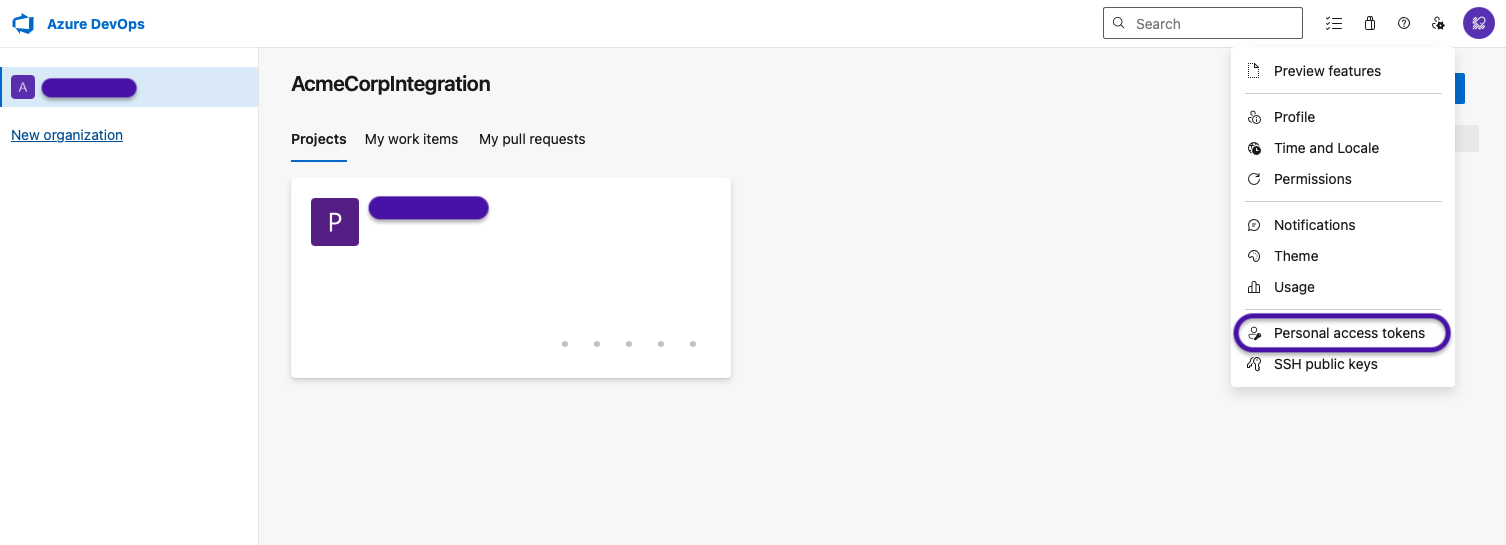
From the home page, open User settings and navigate to Personal access tokens.
-
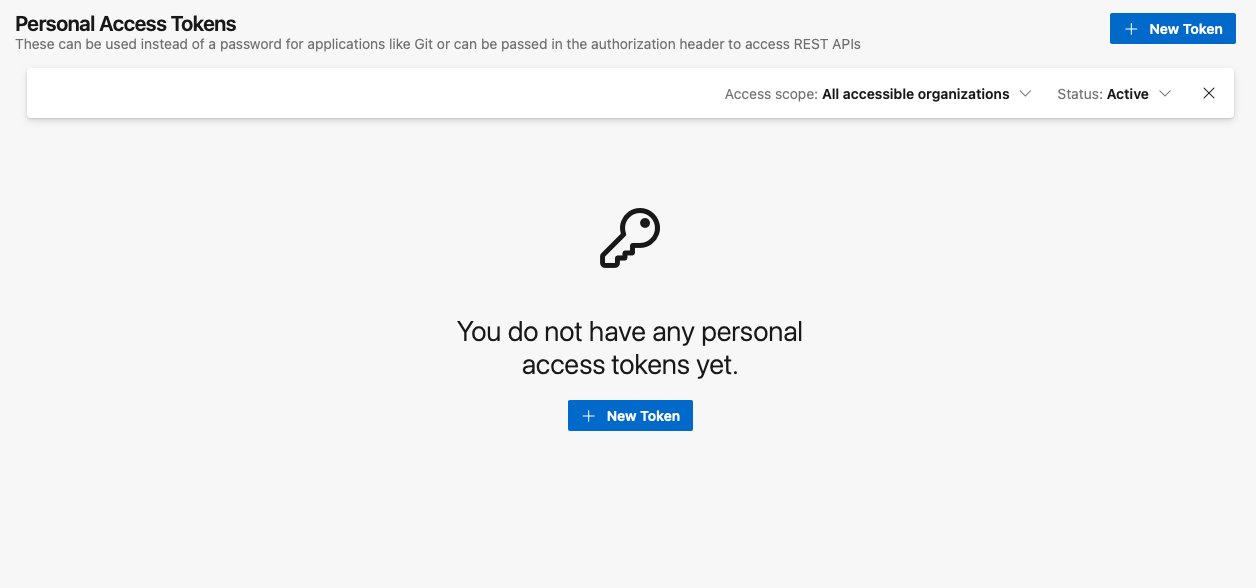
Select + New Token to start the token creation process.
-
Define the token details:
- Provide a descriptive name for the token.
- Select All accessible organizations. If the All accessible organizations option is not selected, the token will fail during the integration process. During integration, the system already prompts for the organization to be used. When a specific organization is selected while creating the token, the system attempts to validate access across all organizations, which results in an error and causes the integration to fail.
- Choose an appropriate expiration period for the token.
- Configure the required scopes as follows:
- Project & Team: Read, Write & Manage
- Work Items: Read, Write & Manage
- Complete the process by creating the token.
-
Copy and securely store the generated token. For security reasons, the token will not be displayed again after leaving or refreshing the page.
-
After this step, the process can be continued from the Invicti ASPM UI using the generated token
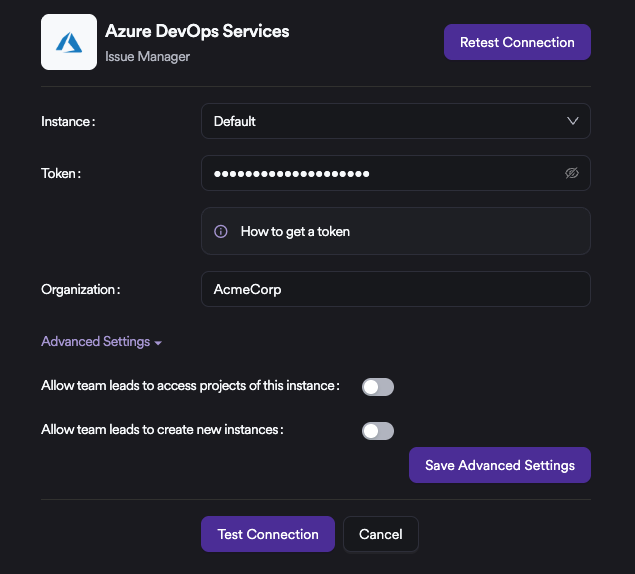
Under Advanced Settings, there are specific configuration options for Azure DevOps Services. When these toggles are enabled, the relevant permissions are granted not only to Administrators but also to Team Leads. This allows Team Leads to add their own organizations as new instances, onboard projects through these instances, and manage access to them independently.
Updated 6 months ago