

GitHub Issue Manager
Prerequisites
Before integrating GitHub, it is recommended to create an Invicti ASPM service account as a preparation step and ensure that this user has access to the projects to be issue opened. Creating the user and adding it to the required organizations is sufficient.
Integration Steps
- Log in to the GitHub account.
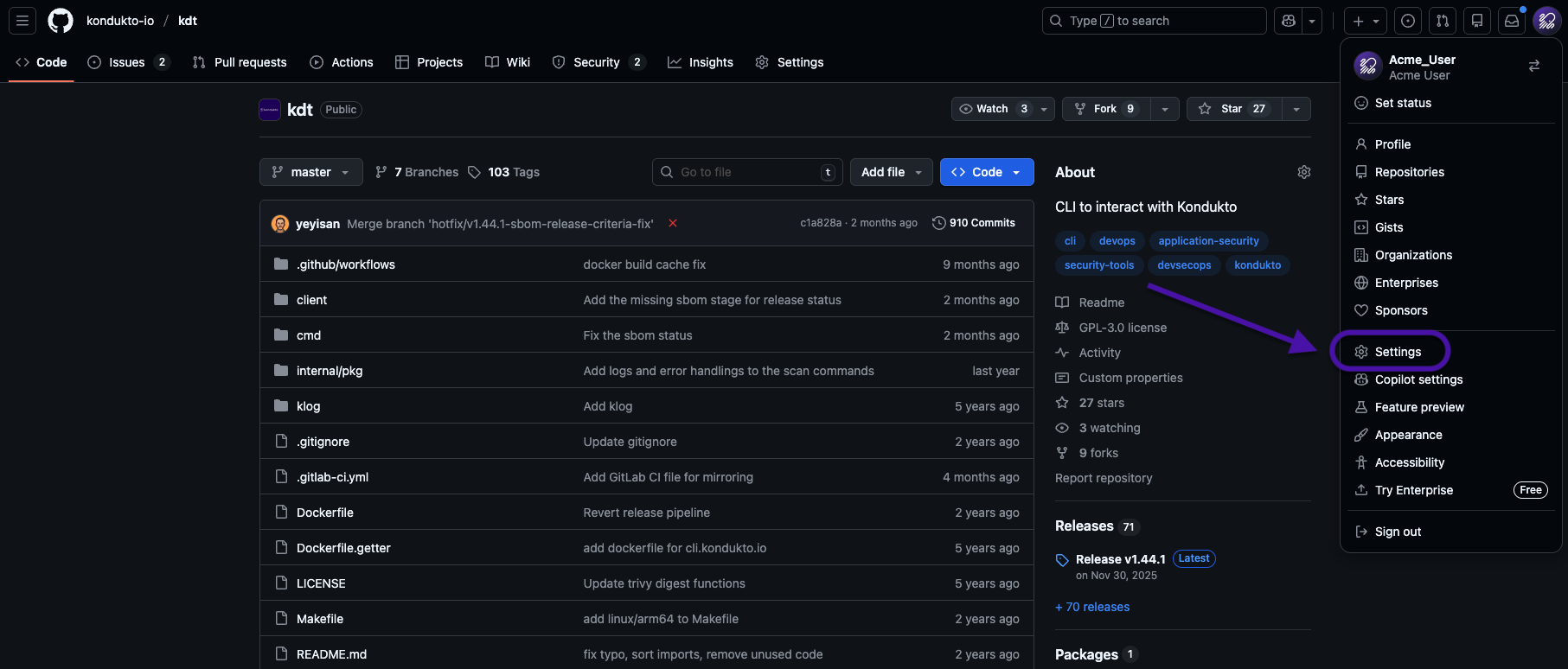
- In the upper-right corner of the page, select the profile photo and navigate to Settings.
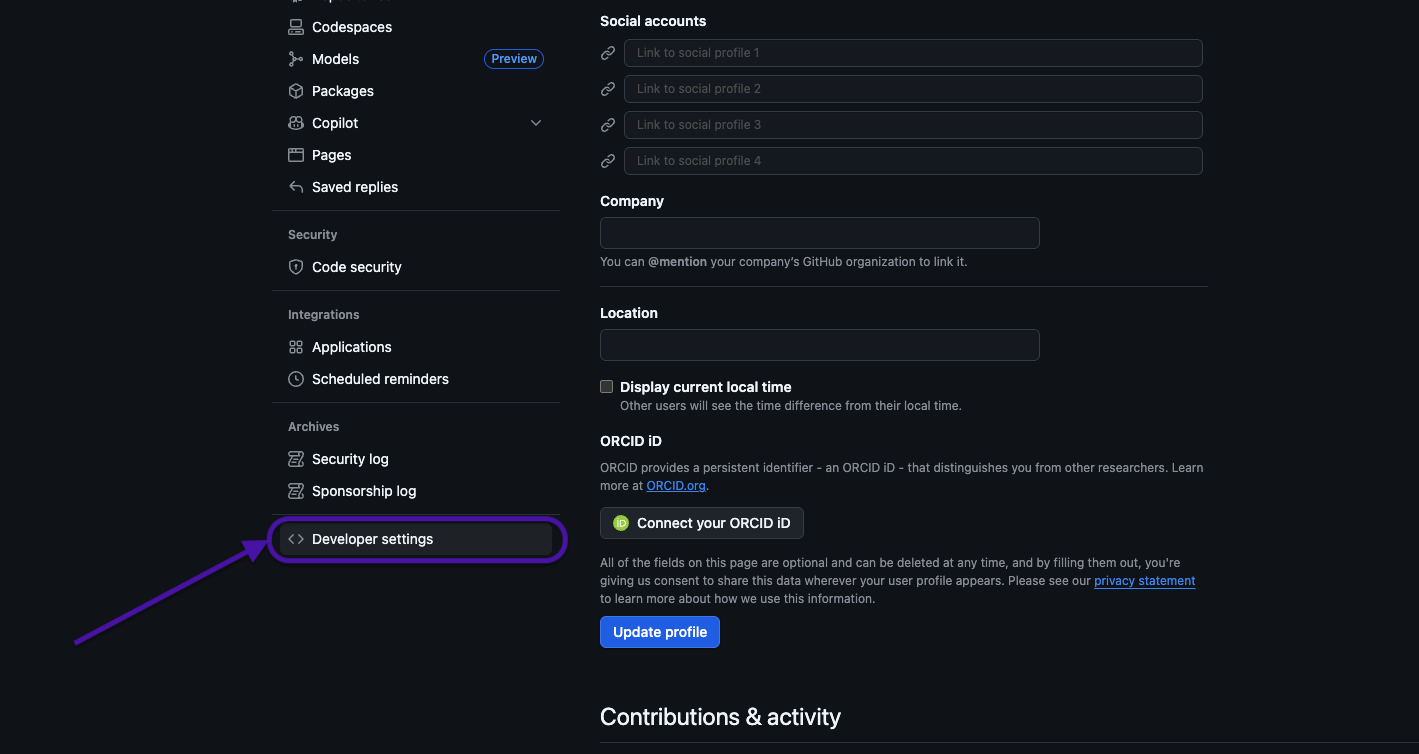
- From the left sidebar, open Developer settings.
- Under Developer settings, select Personal access tokens.
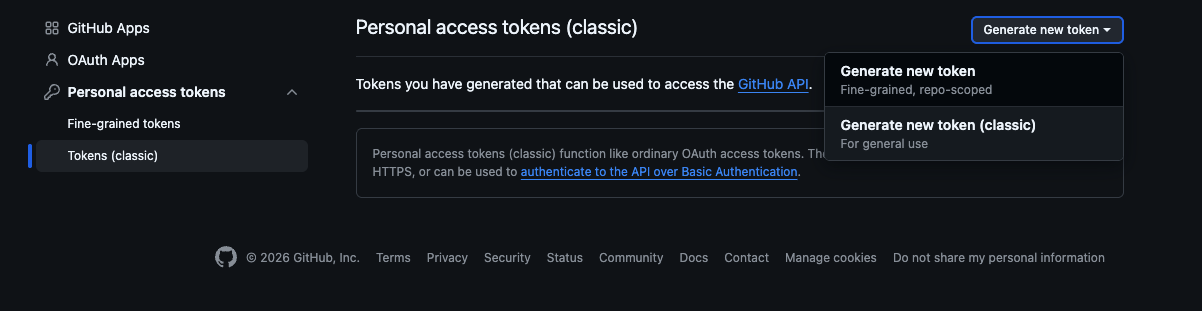
- Click Generate new token.
- Provide a descriptive name for the token to clearly identify its purpose.
- Select the Admin:Org scope to grant the required managing access.
- Click Generate token to create the token.
- Copy the generated token and store it securely. For security reasons, the token will not be visible again after leaving the page.
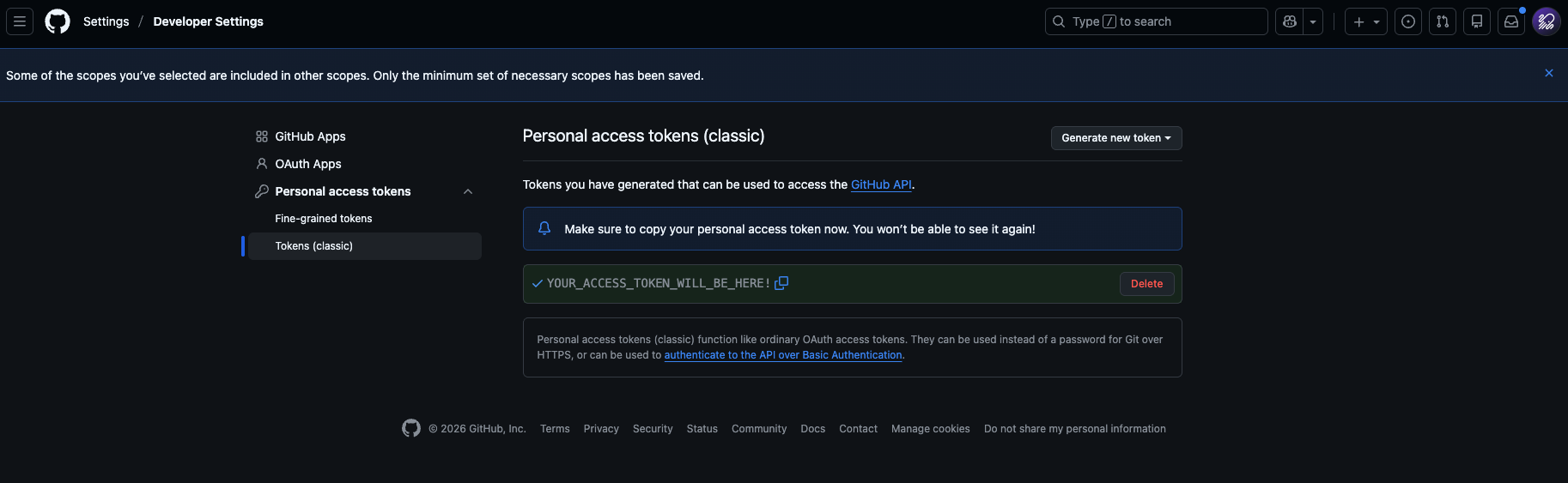
After this step, the process can be continued from the Invicti ASPM UI using the generated token.
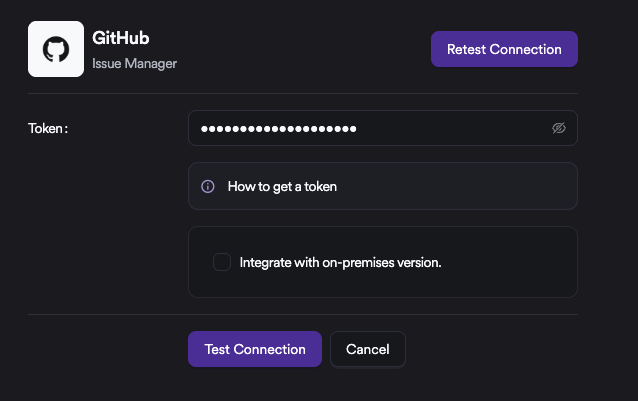
At this step, entering the token and clicking Test Connection is sufficient. If GitHub is running on-premises, the corresponding checkbox should be selected and the GitHub URL should be provided.
Updated 6 months ago
Did this page help you?